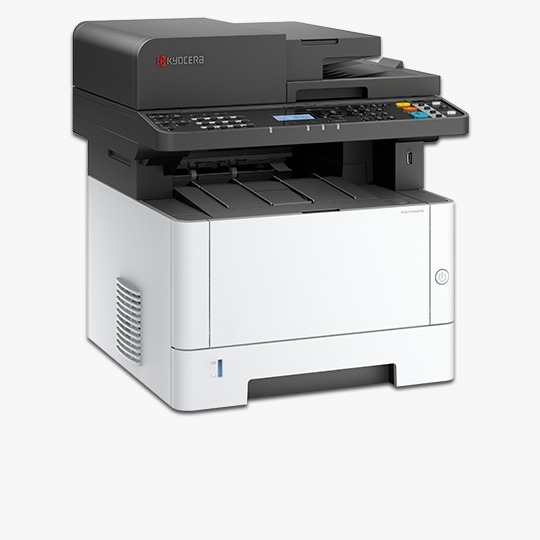
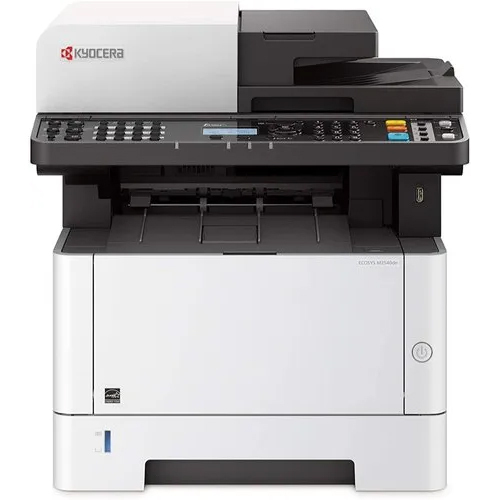
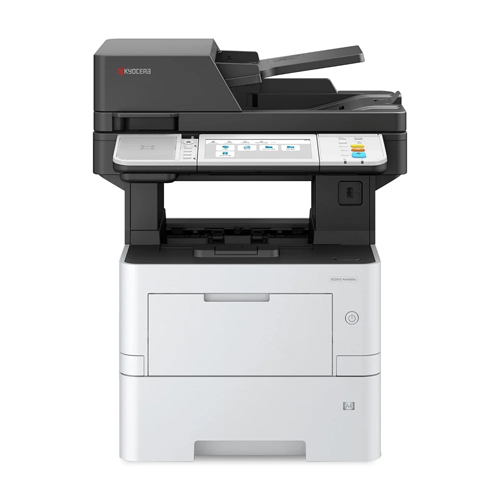
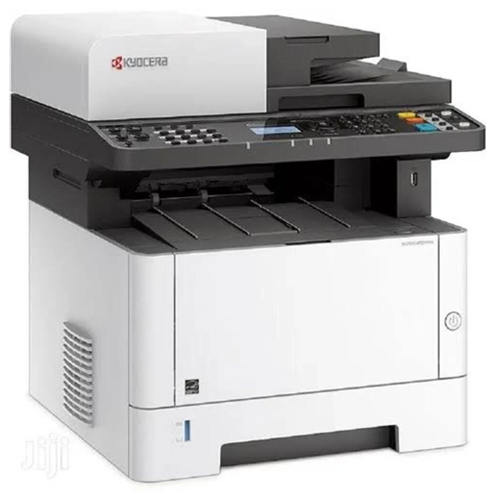
keyocera ecosys MA4000X photocopier printer machine About
The Kyocera Ecosys MA4000X is a multifunctional printer and photocopier designed for high-volume office environments. Here's a brief overview:
Key Features:
Multifunctional: Print, copy, scan, and fax capabilities
High-speed printing: Up to 40 pages per minute (ppm)
Advanced security: Data encryption, secure printing, and overwrite protection
Long-lasting components: ECOSYS technology for reduced waste and lower costs
Large paper capacity: 1,150-sheet standard capacity, expandable up to 3,150 sheets
Touchscreen interface: 10.1-inch color touchscreen for easy navigation
Network connectivity: Ethernet and wireless connectivity options
Benefits:
Increased productivity: Fast printing and copying speeds
Reduced costs: Long-lasting components and low-cost consumables
Enhanced security: Advanced security features to protect sensitive data
Flexibility: Compatible with various paper types and sizes
Specifications:
Print resolution: Up to 1,200 x 1,200 dpi
Copy resolution: Up to 600 x 600 dpi
Scan resolution: Up to 600 x 600 dpi
Paper handling: Automatic document feeder (ADF) and duplex printing
The Kyocera Ecosys MA4000X is designed for businesses with high printing demands, offering reliability, efficiency, and cost-effectiveness.
High-Speed, Efficient PerformanceThe Kyocera ECOSYS MA4000X delivers swift printing and copying at up to 40 pages per minute, minimizing wait times in fast-paced offices. With a first copy out time of just 6.4 seconds and continuous copying capability, this device ensures high productivity, even during peak workloads. Automatic duplex printing further optimizes paper usage, making daily operations cost-effective and eco-friendly.
Flexible Connectivity and User-Friendly InterfaceEquipped with USB 2.0, Gigabit Ethernet, and optional Wi-Fi, the MA4000X seamlessly integrates into various network environments. The clear 5-line LCD display simplifies navigation for users, while compatibility with Windows, Mac OS, and Linux ensures broad accessibility. Its intuitive interface makes print, scan, and copy tasks straightforward for all operators.
Versatile Paper Handling and Reliable OutputAccommodating a wide range of paper sizes and weights, from A4 to custom formats and 60 to 220 g/m2, the MA4000X supports diverse office needs. The standard input capacity of 350 sheets, expandable up to 850 sheets, coupled with a 150-sheet output tray, minimizes interruptions. Whether handling large print jobs or various media types, this printer delivers dependable results every time.
FAQ's of keyocera ecosys MA4000X photocopier printer machine:
Q: How does the Kyocera ECOSYS MA4000X benefit high-volume office environments?
A: With a monthly duty cycle of up to 80,000 pages and rapid print and copy speeds of 40 pages per minute, the MA4000X is engineered to handle intensive workloads efficiently, ensuring reliable performance for busy offices.
Q: What types of connectivity does the MA4000X offer for seamless integration?
A: The device supports USB 2.0, Gigabit Ethernet, and optional Wi-Fi, enabling flexible connections to various network setups and easy integration across different workstations and operating systems, including Windows, Mac OS, and Linux.
Q: When is it necessary to upgrade the memory, and how much can it be expanded?
A: Memory upgrades are recommended for users managing complex print jobs or large files. The standard 512 MB memory can be expanded up to 1536 MB to boost processing capability and performance in demanding environments.
Q: Where can the Kyocera ECOSYS MA4000X be used effectively?
A: Ideal for offices, institutions, or organizations across India looking for a dependable, high-speed monochrome printer/copier, it is suitable for traders, suppliers, and service providers seeking productivity and versatility.
Q: What advantages does automatic duplex printing provide on this machine?
A: Automatic duplex printing allows both sides of a paper to be printed simultaneously, reducing paper consumption and manual intervention. This feature helps lower operational costs and supports sustainable business practices.
Q: How is the device operated and monitored for everyday tasks?
A: A 5-line LCD display offers clear navigation for copying, scanning, and maintenance operations. Users can swiftly check status updates, configure settings, and troubleshoot with intuitive on-screen instructions.
Q: What process is followed to replace toner cartridges and what is the toner yield?
A: Toner replacement is straightforward-just open the designated panel, remove the empty cartridge, and insert a new one. The starter toner yields up to 7,200 pages, while standard cartridges offer up to 12,500 pages, minimizing downtime.




 Send Inquiry


 Send Inquiry